;)

On July 14, 2026, Microsoft will officially retire Microsoft InfoPath.
If your organization still relies on InfoPath forms for HR requests, purchasing, onboarding, compliance, or internal approvals, this deadline represents a growing security, compliance, and operational risk – and a clear opportunity to modernize your SharePoint environment.
While InfoPath forms may not stop working immediately, unsupported technology becomes increasingly fragile over time. Organizations that plan ahead can reduce risk, simplify processes, and transition to modern Microsoft 365 solutions without disruption.
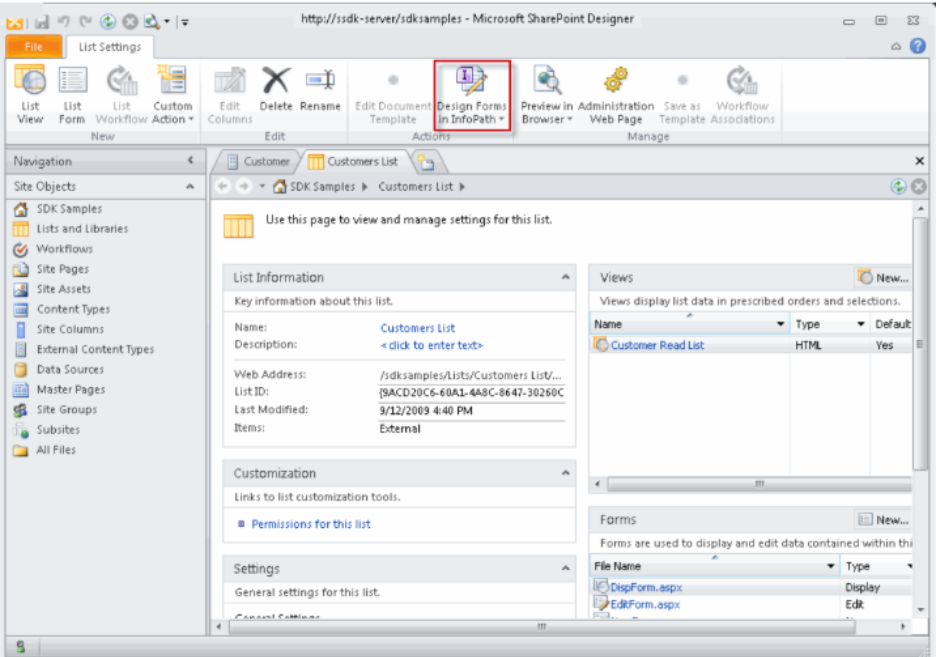
Why InfoPath Is Still in Use Across SharePoint Environments
Microsoft InfoPath was widely adopted to replace paper forms and automate approvals in SharePoint. Although it hasn’t been actively developed in years, many organizations still depend on legacy InfoPath forms built 7–15 years ago.
InfoPath commonly appears in:
- Customized SharePoint list forms
- Legacy approval workflows
- Form libraries and classic SharePoint pages
- Departmental sites inherited through migrations
- Processes labeled simply as “custom forms”
In many cases, organizations don’t realize InfoPath is still running until something breaks.
What InfoPath End of Life Means After July 14, 2026
After July 14, 2026, Microsoft will no longer provide:
- Security updates or patches
- Bug fixes or enhancements
- Product updates
- Microsoft support
Forms may continue to function temporarily, but every Microsoft 365 update, browser change, or security review increases the likelihood of failure.
From a business perspective, InfoPath end of life introduces three key risks:
- Security Risk: Unsupported components are harder to secure and justify during audits.
- Compliance Risk: Many organizations require supported platforms for regulatory and governance standards.
- Operational Risk: If a critical form or workflow fails, remediation options may be limited and costly.
Why Waiting Until 2026 Increases Cost and Complexity
Delaying InfoPath modernization often leads to rushed decisions and higher costs.
Organizations that wait commonly experience:
- Emergency rebuilds instead of planned modernization
- Increased consulting and remediation expenses
- Limited stakeholder input and testing
- Missed opportunities to retire unused forms
- Recreated technical debt in new platforms
Starting early allows teams to inventory dependencies, prioritize critical workflows, and modernize in phases without disrupting daily operations.
How to Identify InfoPath Forms in Your Environment
If you’re unsure whether InfoPath is still in use, you’re not alone. A few practical indicators include:
- Older SharePoint sites using classic forms
- Forms that don’t render well in modern view
- Approval processes tied to legacy workflows
- Forms that require older client tools to edit
- Processes no one wants to touch because “it works”
A simple rule of thumb: If a form predates your Power Platform strategy, it should be reviewed.
Microsoft’s Recommended Alternatives to InfoPath
Microsoft’s modern approach to forms and workflows centers on:
- Microsoft Forms
These tools provide:
- Mobile-friendly user experiences
- Modern authentication and security
- Built-in governance and monitoring
- Ongoing platform updates
- Seamless integration across Microsoft 365
In many environments, these tools already exist—but InfoPath forms were never formally transitioned.
Modernization as an Opportunity, Not Just a Replacement
Rebuilding an InfoPath form in Power Apps should not be a 1:1 translation.
Modernization is an opportunity to:
- Simplify overengineered processes
- Retire unused or redundant forms
- Improve data quality and reporting
- Standardize environments and governance
- Reduce long-term support overhead
Many organizations find that 20-40% of legacy forms can be eliminated entirely after review.
A Practical, Low-Risk Approach to InfoPath Modernization
A structured modernization approach typically includes:
- Discovery of InfoPath forms and workflows
- Identification of business-critical processes
- Risk classification (security, compliance, operational)
- Prioritization and phased rollout planning
- A clear modernization roadmap
This approach protects business continuity while steadily reducing legacy risk.
Why Organizations Use a SharePoint Modernization Partner
Replacing InfoPath is not just a technical exercise. It involves process design, governance, and change management.
A trusted modernization partner helps organizations:
- Surface hidden legacy dependencies
- Translate technical risk into business impact
- Prioritize what matters most
- Deliver scalable, maintainable solutions
- Support user adoption and long-term ownership
The goal isn’t just to replace InfoPath, but to build a sustainable SharePoint and Microsoft 365 foundation.
Turning the InfoPath End of Life Deadline into a Strategic Advantage
July 14, 2026 is a fixed deadline, but your modernization strategy doesn’t have to be rushed.
Organizations that act early can:
- Reduce security and compliance risk
- Improve governance maturity
- Eliminate legacy complexity
- Avoid reactive, high-pressure remediation
InfoPath served its purpose. Now it’s time to modernize.
Ready to Modernize SharePoint and Replace InfoPath?
If you’re unsure where InfoPath exists in your environment—or how deeply it’s embedded—now is the time to assess and plan.
Quisitive helps organizations modernize SharePoint and Microsoft 365 by identifying legacy dependencies, prioritizing critical workflows, and delivering secure, scalable solutions.